
AutoGen Integration
Native wrap_autogen_agent() integration for AutoGen/AG2. Wrap each ConversableAgent once and every reply, response latency, and guardrail check is traced automatically.
AutoGen (Microsoft/AG2) is a framework for building multi-agent AI applications where agents communicate through structured message exchanges.
Getting Started
Install the SDK
Install zespan alongside autogen-agentchat.
pip install zespan autogen-agentchatWrap each agent
Pass each ConversableAgent to wrap_autogen_agent(). Initiate the chat as normal — all agent replies and latency are traced automatically.
from zespan.sdk import Zespan, wrap_autogen_agent
import autogen

zespan = Zespan(api_key="your-api-key")

assistant = autogen.AssistantAgent("assistant", llm_config={"model": "gpt-4o"})
user_proxy = autogen.UserProxyAgent("user_proxy", human_input_mode="NEVER")

assistant = wrap_autogen_agent(assistant)
user_proxy = wrap_autogen_agent(user_proxy)

user_proxy.initiate_chat(assistant, message="Write a Python function for fibonacci")View traces in Zespan
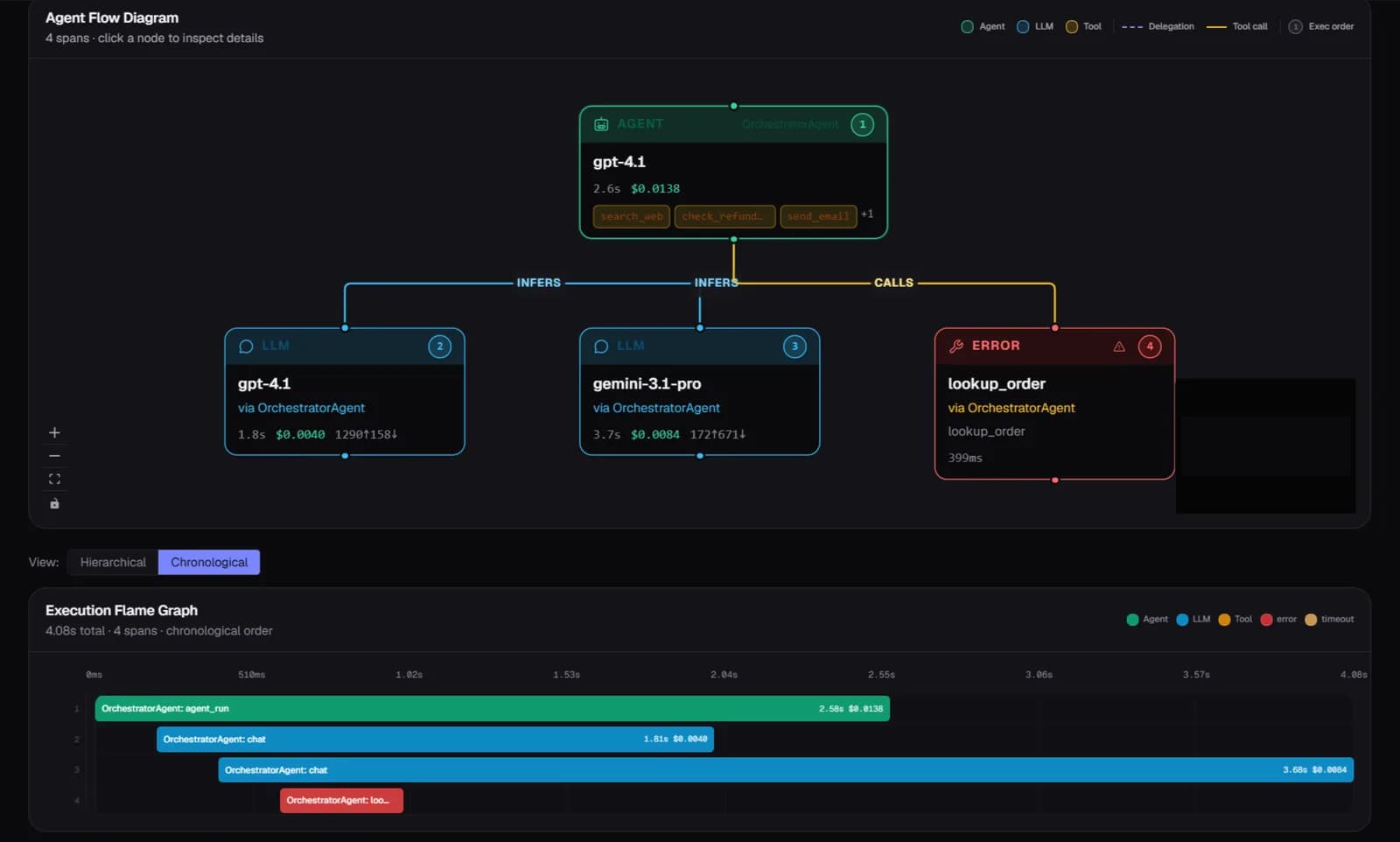
Multi-agent AutoGen conversations appear as unified traces. Each agent's reply is a separate span attributed to its agent name.
What's captured automatically
- Per-agent wrapping: trace each agent individually or selectively
- Unified traces: multi-agent conversations linked into one trace
- Response latency: time-per-reply attributed per agent
- Guardrails: enable with guardrails=True for content validation on inputs and outputs
- Cross-service: TypeScript helpers (attachTraceToAutoGenMessage / extractTraceFromAutoGenMessage) propagate context across HTTP boundaries
- Error attribution: failures attributed to the correct agent in the conversation
FAQ
Do I need to wrap every agent?
Wrap each agent you want to trace individually. For selective tracing, only wrap the agents you care about.
Does this work with GroupChat?
Yes. Wrap each participant agent before passing them to GroupChat. All replies in the group conversation share the same trace.
Start free — 50K traces a month, no card needed
AutoGen integration works on all plans including the free tier.