The problem
The cloud bill can't tell you who spent what
OpenAI invoices show spend by model, not by agent, feature, or user. You know GPT-4o is expensive — not which part of your product is calling it.
Cost spikes show up a month late
A new agent launched two weeks ago and has been hammering GPT-4o. You find out when the monthly invoice arrives.
You know it's high — not why
Total spend is too high but you don't know whether to switch models, compress prompts, add caching, or fix a runaway agent.
How Zespan helps
Your bill stops being one number and becomes an answerable question
Every dollar of LLM spend attributes to the agent, model, user, operation, or tool that generated it. 'GPT-4o is expensive' becomes 'this one agent is driving 60% of it' — the difference between knowing you have a cost problem and knowing which one.
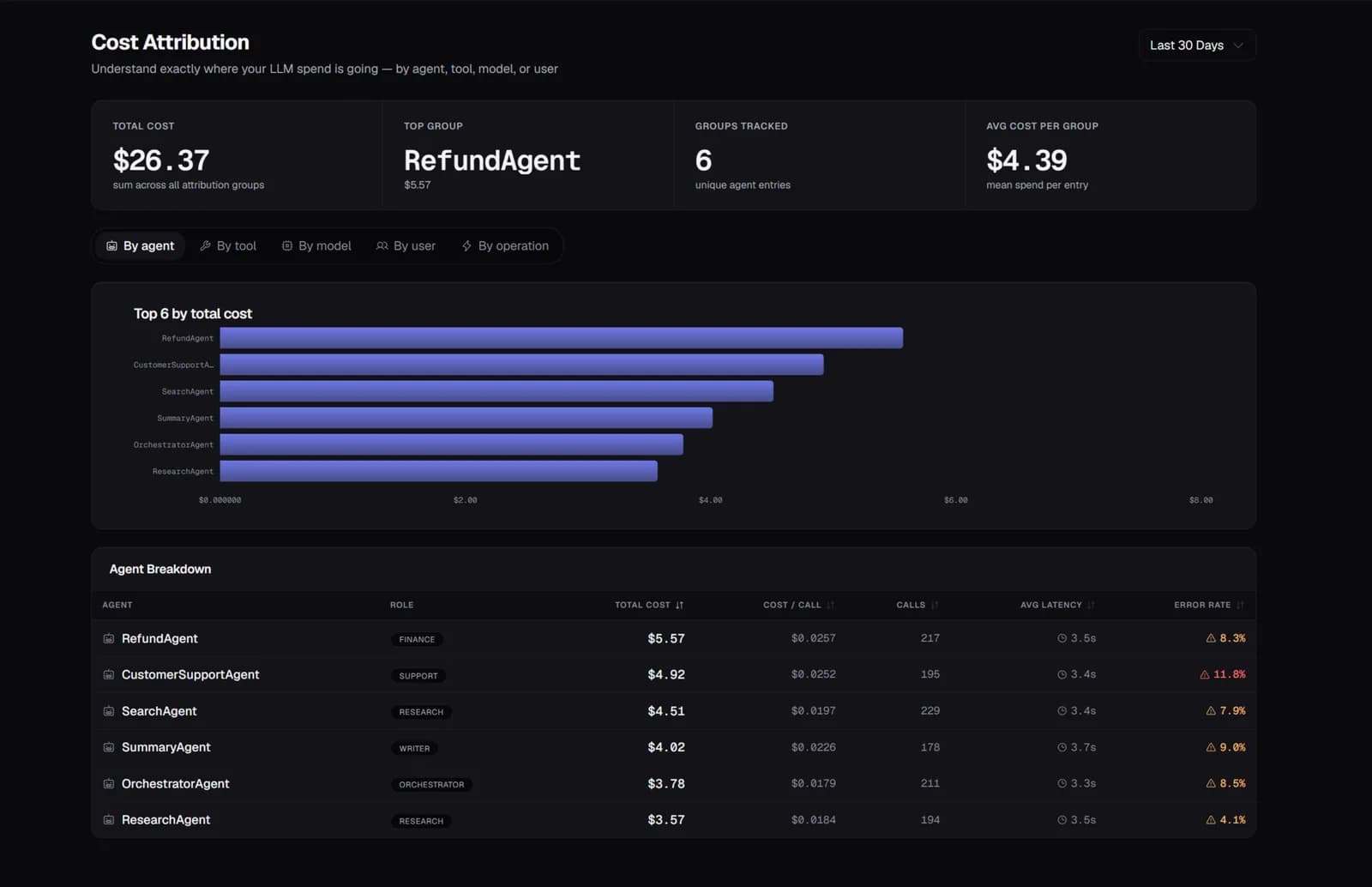
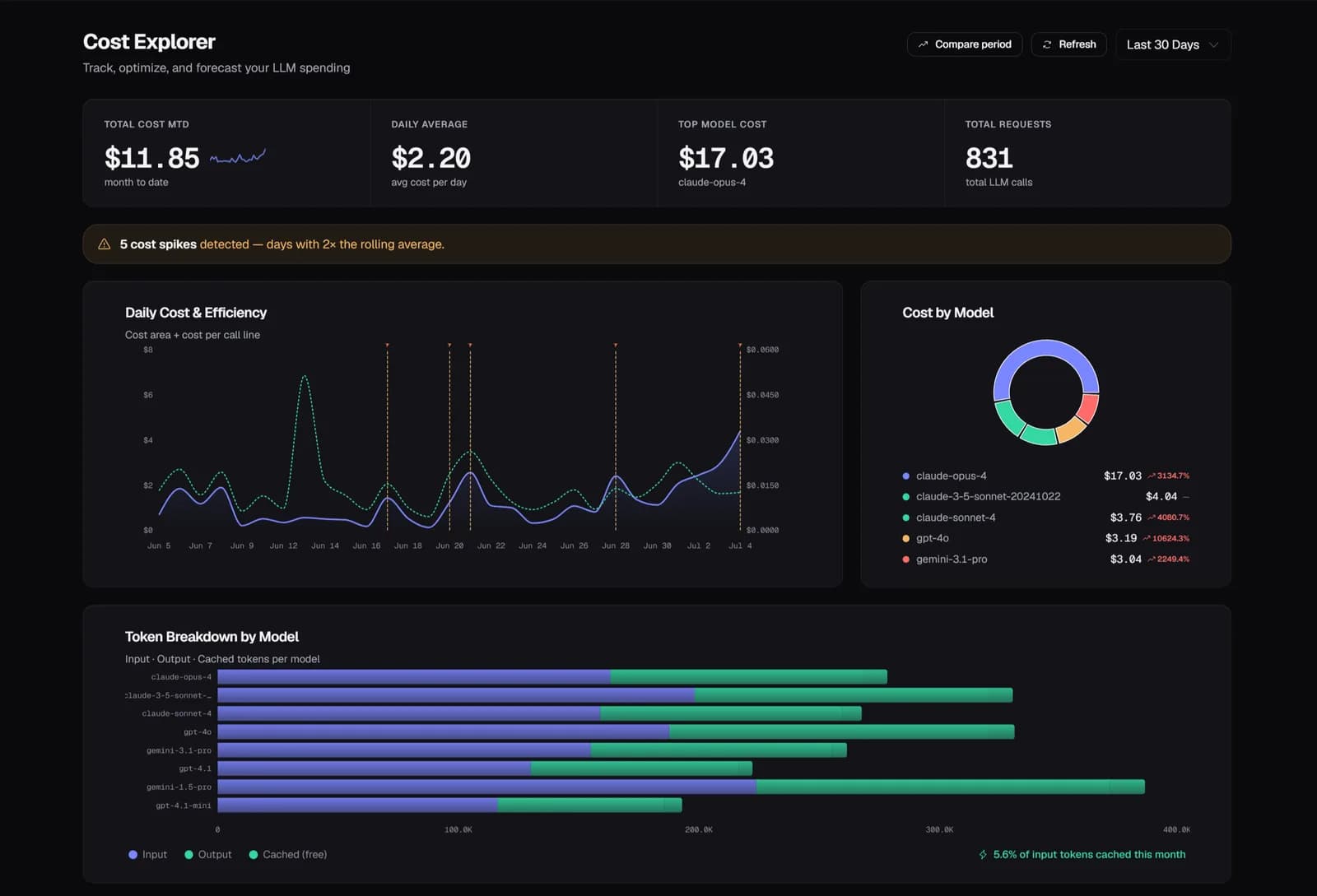
A spike gets caught the day it happens, not the day the invoice arrives
Daily spend is tracked as a trend, and a day that deviates significantly from it is flagged automatically. A new agent that quietly starts hammering a model shows up as an anomaly within a day, not as a step-change you only notice a month later staring at a bill.
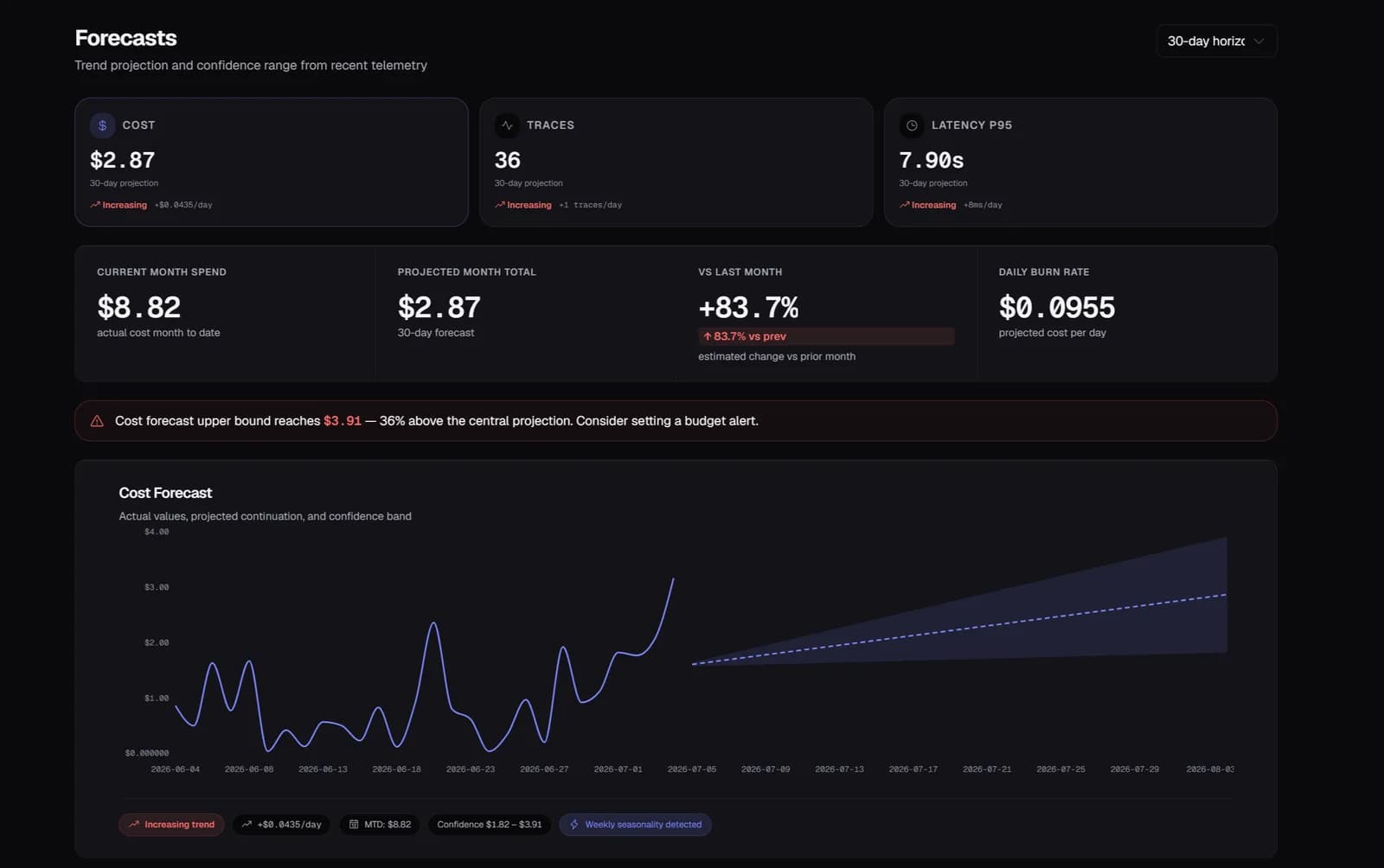
You see the budget breach before it happens, not after
Spend is projected 30 days forward from your actual trend, with a confidence band for best and worst case. If the line is heading toward a limit, that's visible with enough runway to act, instead of showing up as a surprise on next month's invoice.
The fix comes with a number attached, not just a diagnosis
Instead of "your costs are high," a specific, ranked suggestion: switch this agent to a cheaper model and save an estimated amount per month, or compress this prompt and cut its token count by a given percentage. You're deciding whether to make a change, not researching what change to make.
A cost spike pages your team instead of waiting for the invoice to page you
A spend threshold on a time window routes straight to Slack, so a runaway agent is a page during the incident, not a line item you notice reconciling the bill.
Start free — 50K traces/month, no card needed
See every agent decision, tool call, and handoff in production. Setup takes a few minutes.
Start free →