30 days
forecast horizon
5
attribution dimensions
Top 200
per dimension
1.0 Cost Management
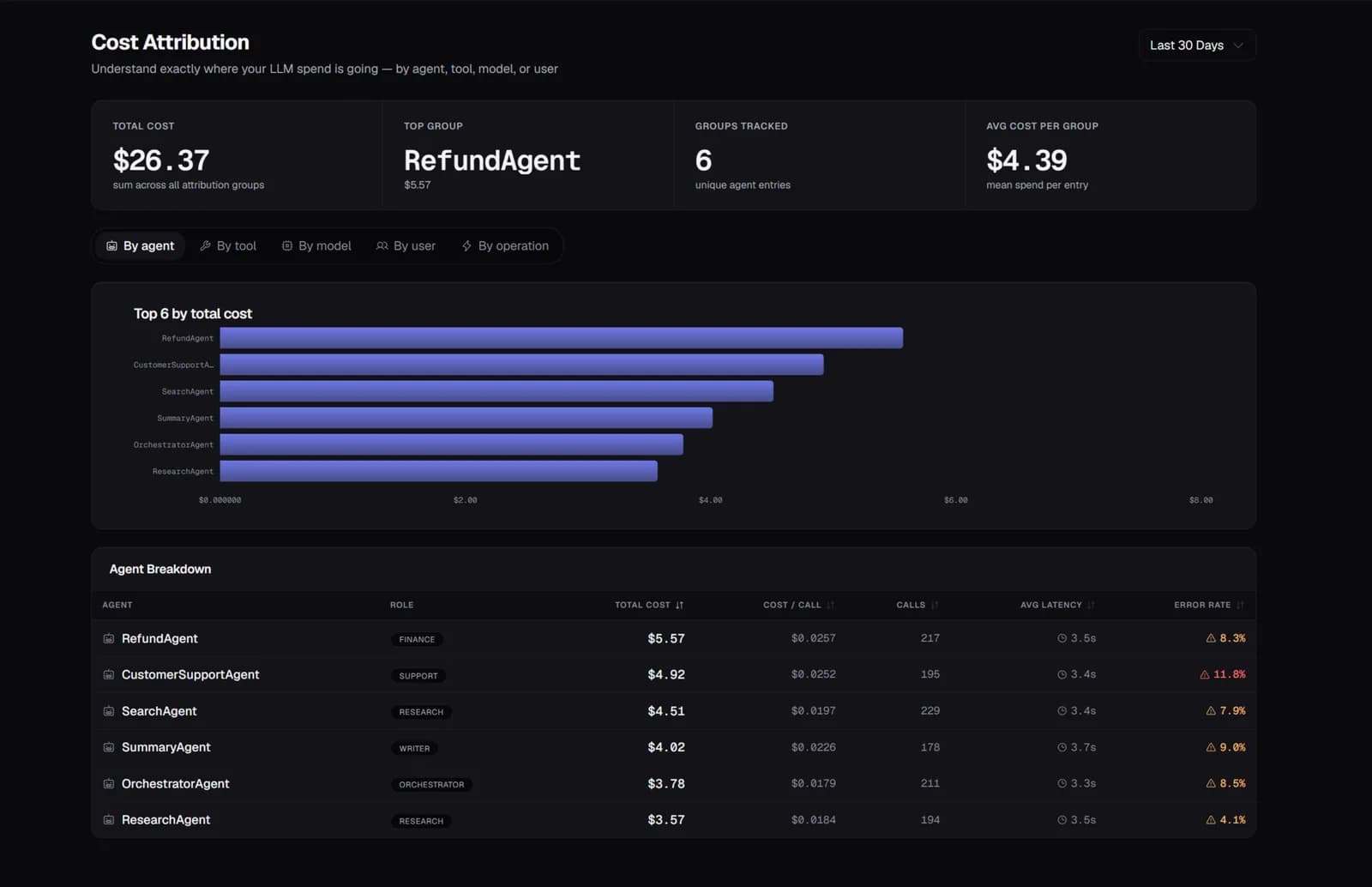
5-Dimension Attribution
What you get
Slice LLM spend by agent, tool, model, user, or operation. For each dimension: total cost, call count, cost per call, average latency, input/output tokens, and error rate. Switch between 24h, 7d, 30d, and 90d windows.
2.0 Cost Management
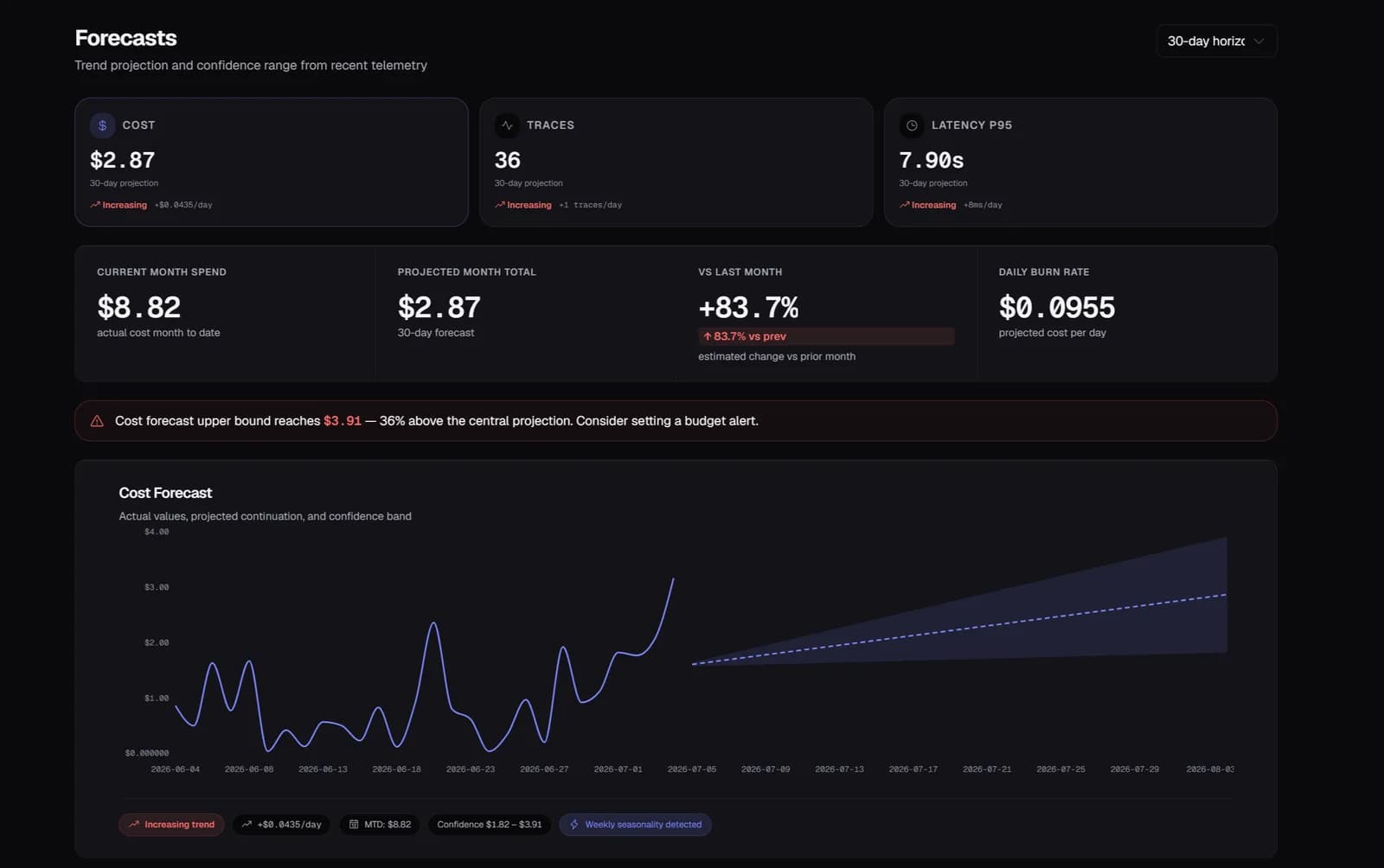
30-Day Forecasting
What you get
OLS linear regression over daily cost history projects spend 30 days forward with low/high confidence bands. Trend classification (increasing/decreasing/stable) and seasonality detection (day-of-week patterns) surface early warnings.
3.0 Cost Management
AI Cost Recommendations
What you get
Zespan analyzes your trace data and generates ranked, actionable recommendations — each with projected monthly USD savings, confidence level, effort rating, and a copy-paste code snippet to implement it.
4.0 Cost Management
Anomaly Detection & Quota
What you get
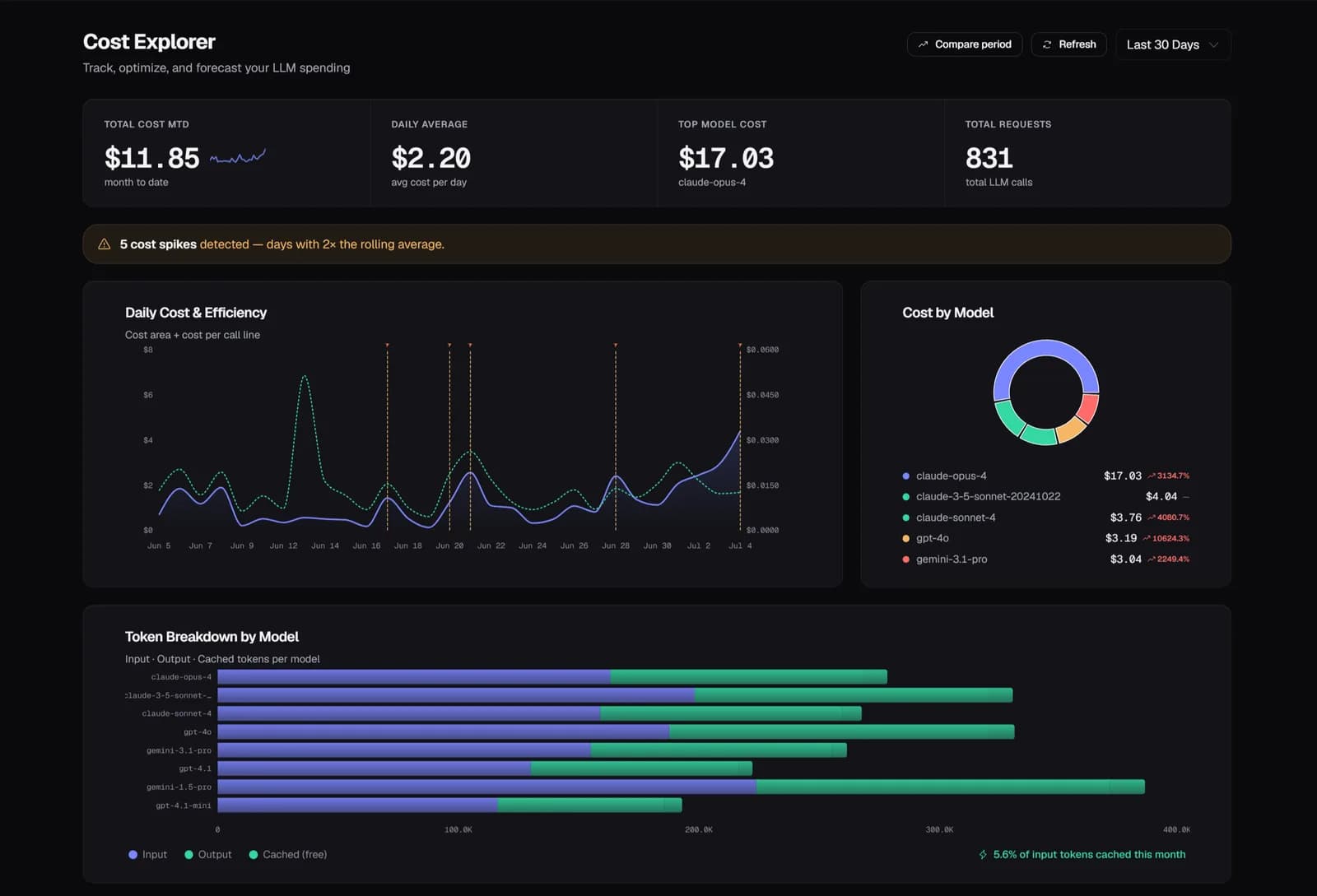
AI anomaly detection flags unusual cost spikes in real time — catching them the day they happen, not the day the invoice arrives. Per-org monthly quotas enforce spending limits with soft mode (overage allowed up to 5×) or hard mode (strict 429).
Setup
Two lines of code.
Running in minutes.
No forking and no architecture changes. Traces appear within seconds of the first agent run, with cost attribution, eval scores, and anomaly alerts on by default.
Common questions
How does Zespan know the cost of each LLM call?
The SDK reads token counts from the LLM provider's API response and looks up current pricing for that model. Cost per call is calculated as (input_tokens × input_price) + (output_tokens × output_price). Pricing tables are updated when providers change their rates.
Can I attribute cost to specific product features, not just agents?
Yes. Pass an operation tag in the metadata when making LLM calls — e.g., operation: 'summarize-ticket' or operation: 'generate-reply'. The cost attribution view lets you slice by operation to see which product features drive the most spend.
What's the difference between soft mode and hard mode quota enforcement?
Hard mode strictly caps ingest at the monthly quota limit — any request over quota returns 429. Soft mode allows overage up to a configurable cap multiplier (default 5×) before hard blocking, and overage is billed. Free plans always use hard mode with a 1× multiplier.
How actionable are the AI recommendations?
Each recommendation names the specific agent or operation, explains why the change will help (with supporting evidence from your trace data), gives a projected monthly USD savings figure, and includes a copy-paste code snippet. You can mark them applied, acknowledged, or snooze them.
Explore more features
All features →