12
built-in templates
200
metric keys
0–1
sample rate
1.0 Evaluations
Auto-Evaluators
What you get
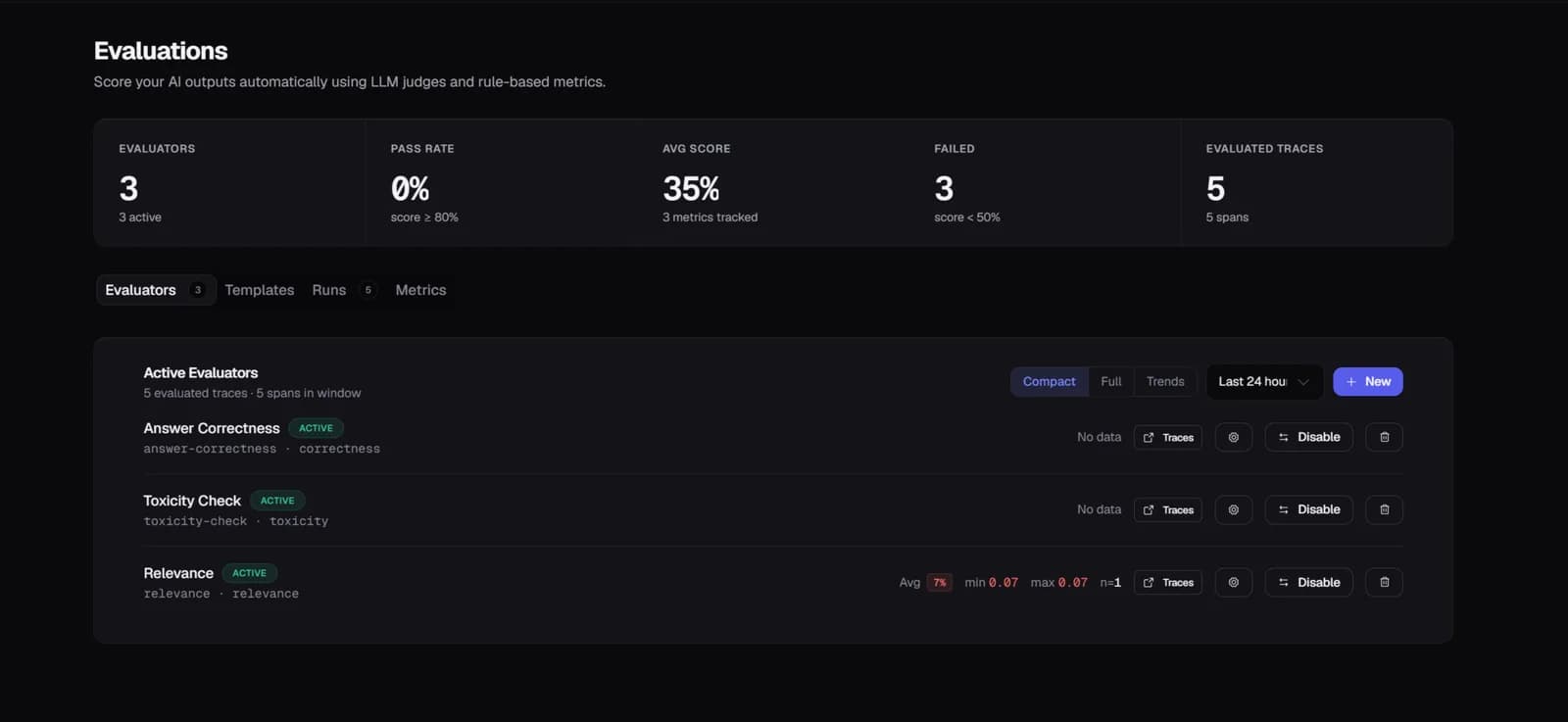
Enable auto-evaluators in project settings and every new trace gets scored automatically — no manual trigger. Configure sample rate (0–1) for high-volume projects and filter to specific models, operations, or statuses.
2.0 Evaluations
12 Built-In Templates
What you get
Pre-built LLM-as-judge templates for the most common quality dimensions: correctness, faithfulness, relevance, toxicity, conciseness, coherence, and more. Each template is configurable per project with custom thresholds.
3.0 Evaluations
Evaluation Detail & Trends
What you get
The evaluation detail view shows per-trace scores with input, output, and the judge's reasoning. Scores trend over time — bucketed by configurable intervals — so you see quality drift as it starts, not weeks later.
4.0 Evaluations
Manual Eval Runs
What you get
Trigger evaluation runs on-demand against a dataset or trace set. Runs execute asynchronously via background worker. Browse full run history with status, aggregate scores, and timing.
Setup
Two lines of code.
Running in minutes.
No forking and no architecture changes. Traces appear within seconds of the first agent run, with cost attribution, eval scores, and anomaly alerts on by default.
Common questions
Which LLM does Zespan use as the eval judge?
The judge model is configurable per evaluator — you can use GPT-4o, Claude 3.5 Sonnet, Gemini 1.5 Pro, or any supported provider. You pay for the judge's tokens at standard provider rates; Zespan doesn't mark up model costs.
Does auto-evaluation add latency to my production traces?
No. Evaluation runs asynchronously after the trace is ingested. It never touches your request path. Your users see no latency from evaluations.
Can I use my own evaluation logic instead of the built-in templates?
Yes. Create custom evaluators with your own metric key, description, and judge prompt. You can also attach eval scores directly from your own code using lt.traces.addEvalScore() — Zespan will store and display them alongside auto-eval scores.
What is faithfulness and why does it matter for RAG?
Faithfulness measures whether the model's answer is grounded in the retrieved context or generated from memory (hallucination). For RAG pipelines, a faithfulness score below your threshold is a signal that retrieved context isn't reaching the model properly or the model is ignoring it.
Can I trigger regression detection when deploying a new prompt?
Yes — this is automatic. When you promote a prompt version to the production label, Zespan runs a background regression check comparing eval scores vs. the previous 14 days. If any evaluator drops >10 percentage points, you get a ZespanPilot notification.
Explore more features
All features →