The problem
Attribution is impossible
One user request spawns an orchestrator, three sub-agents, and twelve tool calls. When something fails, you can't tell which agent in the chain caused it.
Cost is invisible per agent
You see total LLM spend but can't attribute it to specific agents or roles. One expensive agent can silently drive up costs with no signal.
Quality degrades without warning
A sub-agent starts returning lower-quality outputs. No eval coverage means you find out from a user complaint days later.
How Zespan helps
Every agent in the chain is identified, not just the one that answered
The moment an orchestrator delegates to a sub-agent, Zespan knows both exist — name, role, and framework, detected automatically from the call itself. When something fails three hops into a delegation chain, you're not starting from 'which of our twelve agents touched this.' You already know.
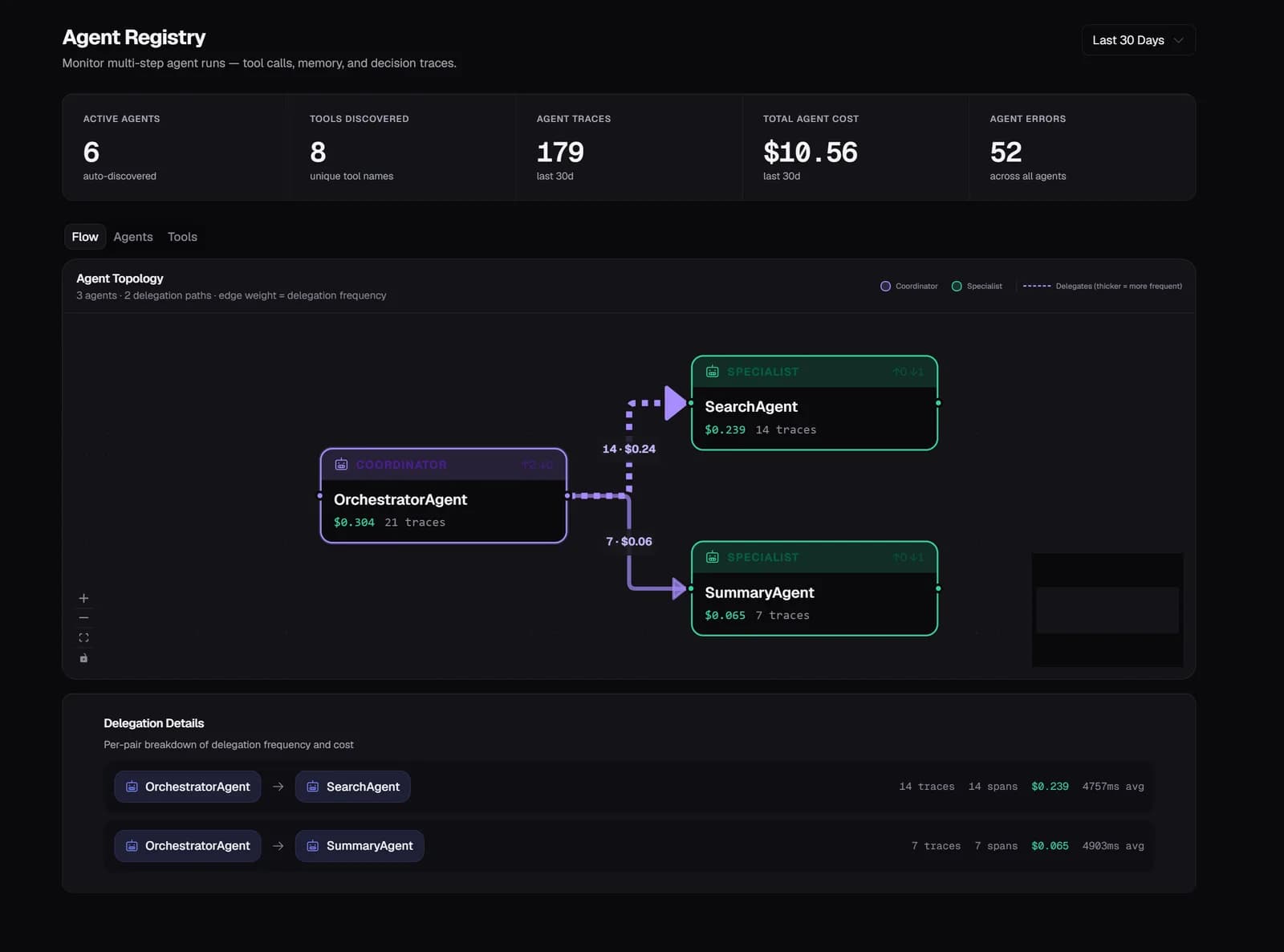
A slow or broken handoff is visible as one edge in the graph, not buried in a log
Every delegation is drawn as an edge between agents, with cost and latency attached to that specific hop. A sub-agent that's quietly adding two seconds to every request isn't a mystery you debug by reading logs line by line — it's the one long edge in the graph.
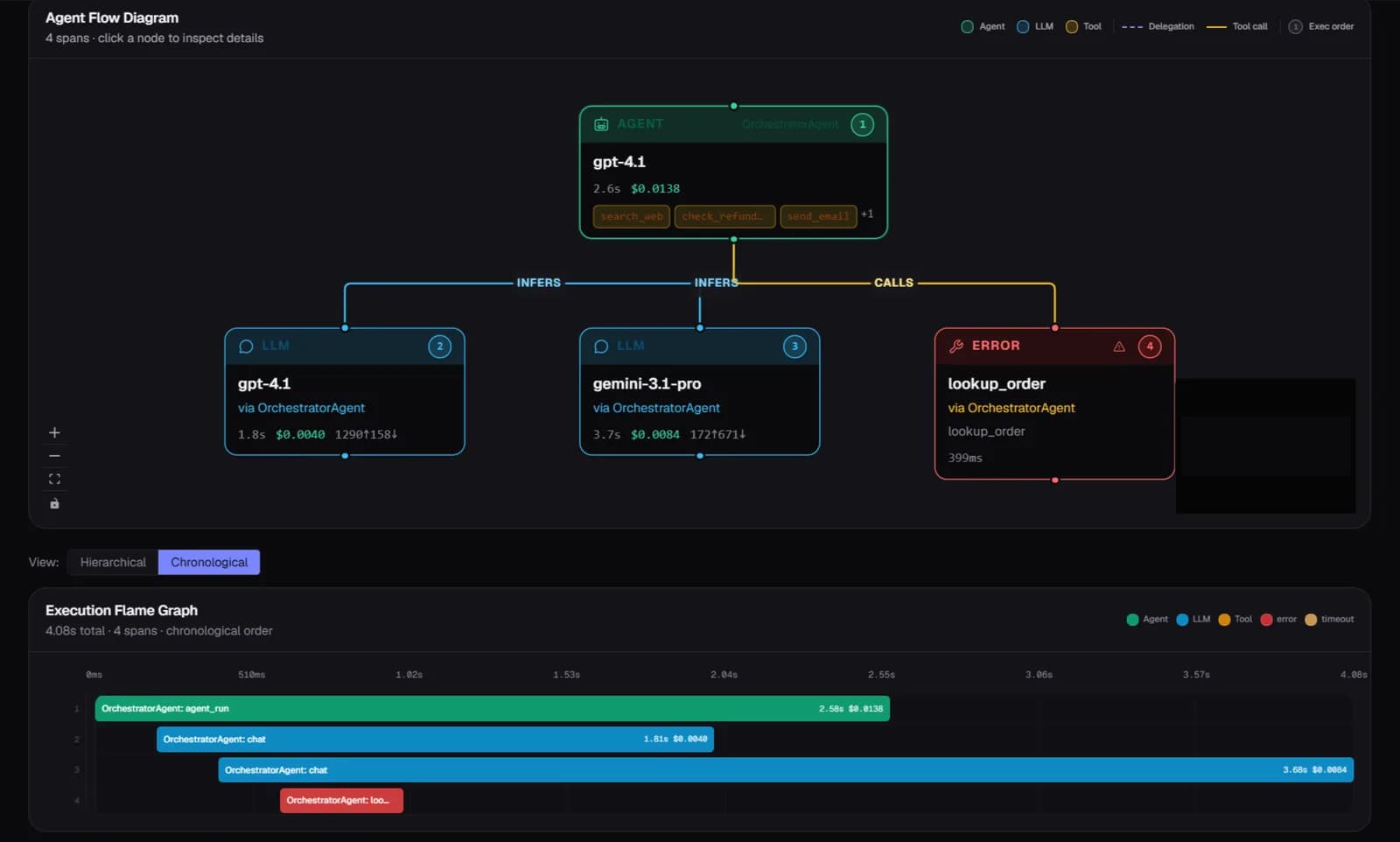
One agent's contribution to a failure is isolated, not blended into the whole request
A failing or slow trace breaks down into every planning step, LLM call, and tool invocation as its own timed span. Filtering by a single agent's spans across thousands of traces tells you whether the problem is that one agent, or something upstream feeding it bad input.
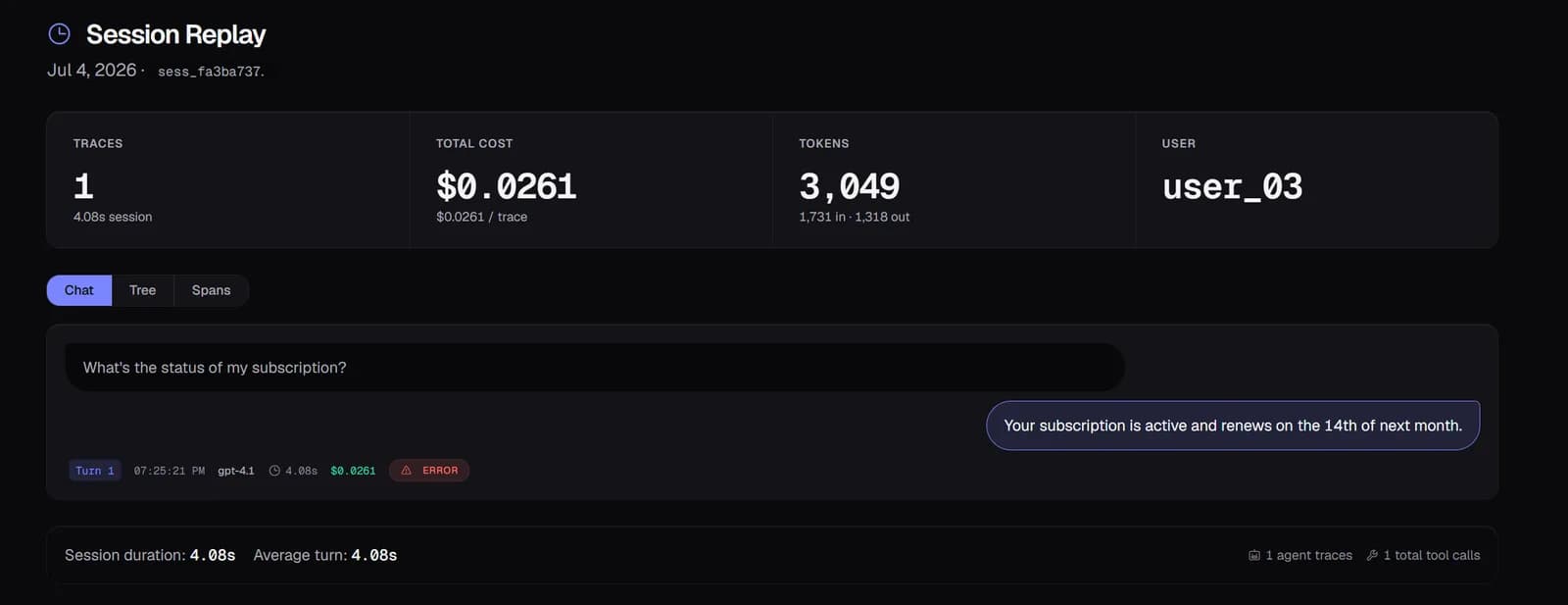
A degrading sub-agent shows up as a trend, before it becomes an incident
Every agent carries a composite health score weighted by error rate, cost trend, and eval pass rate. A sub-agent sliding from healthy to degraded over a week is visible as that trend, not discovered the day it finally breaks something downstream.
Degradation pages your team, instead of waiting for a user to notice
An alert on a specific agent's error rate or health score means a failing orchestrator gets caught by Slack or PagerDuty, on your terms, instead of by the support queue on someone else's.
Start free — 50K traces/month, no card needed
See every agent decision, tool call, and handoff in production. Setup takes a few minutes.
Start free →